Part of 6. IsurDASH Platform.
6.8. Device Maintenance
The "Mantenimiento de dispositivos" menu lists every ISURLOG (ID, name, current firmware version) alongside a row of maintenance actions for each device:
- Actualización de firmware: update the device's firmware (see below).
- MicroPython REPL: open a remote Python REPL session on the device (see
remote_repl.pyin the firmware) for live debugging. - Reset de fábrica: restore the device to its factory configuration.
- Revocar acceso: revoke the device's access/credentials. 🚧 Not yet available.
- Fin de vida: decommission the device. 🚧 Not yet available.
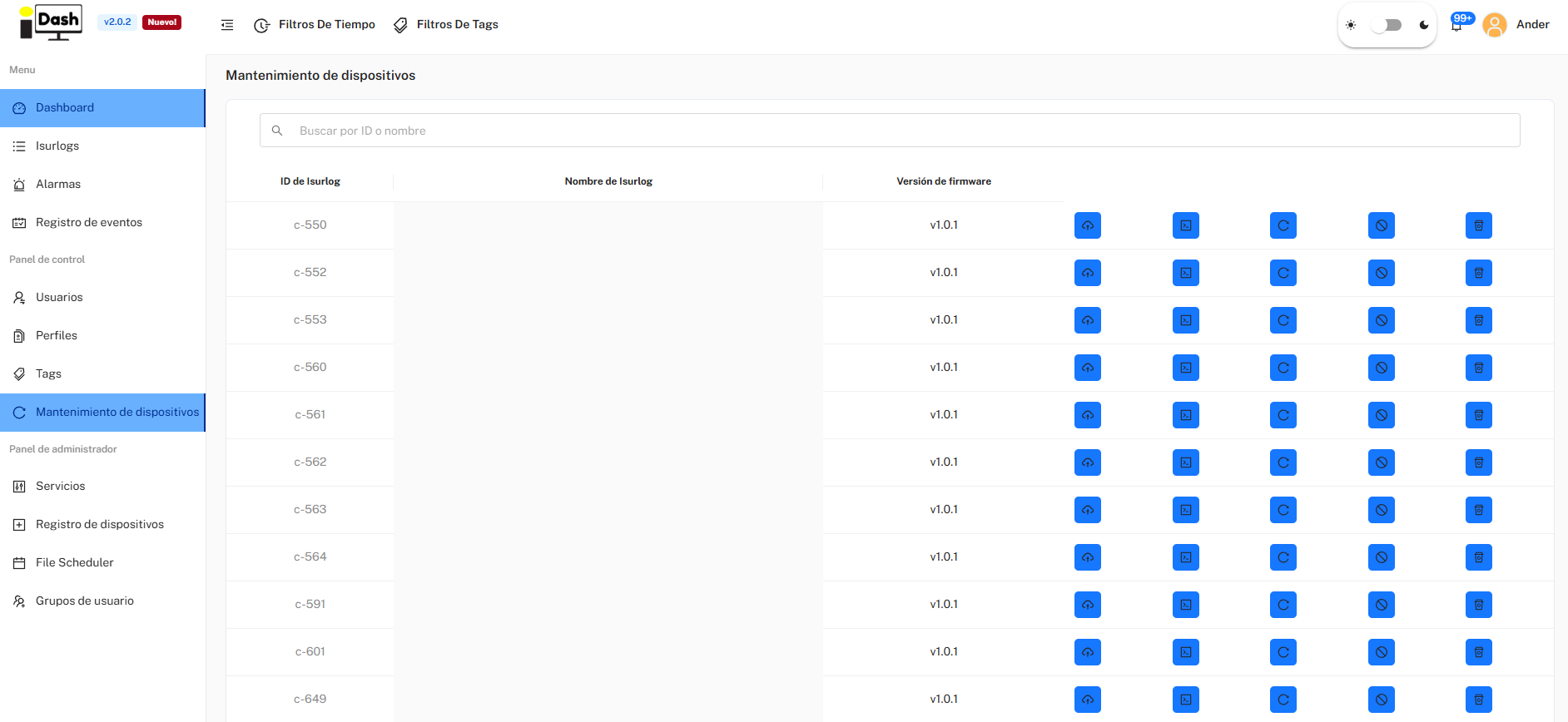
The Mantenimiento de dispositivos list, with per-device maintenance actions.
Destructive Actions
Several of these actions (factory reset, revoke access, end of life) are destructive and not easily reversible — use with care.
Firmware Update
Clicking Actualización de firmware opens a choice of update method:
- Remoto: updates the device over the air. Only available for devices already running firmware v1.1.9 or newer.
- Serial port (USB): updates the device over a wired connection. Available for any firmware version, including a blank/bricked ESP32. Requires a UART-to-USB converter connected between the ISURLOG and your computer — IsurDASH guides you step by step through the RST/BOOT button sequence needed to put the chip into download mode.
After picking a method, you choose which firmware version to install. The list of available versions is pulled directly from the project's GitHub Releases page. A few things to know about that list:
- Releases marked Pre-release are not recommended unless you specifically need a feature that only exists in that release.
- Always prefer the release marked Latest unless you have a specific reason not to.
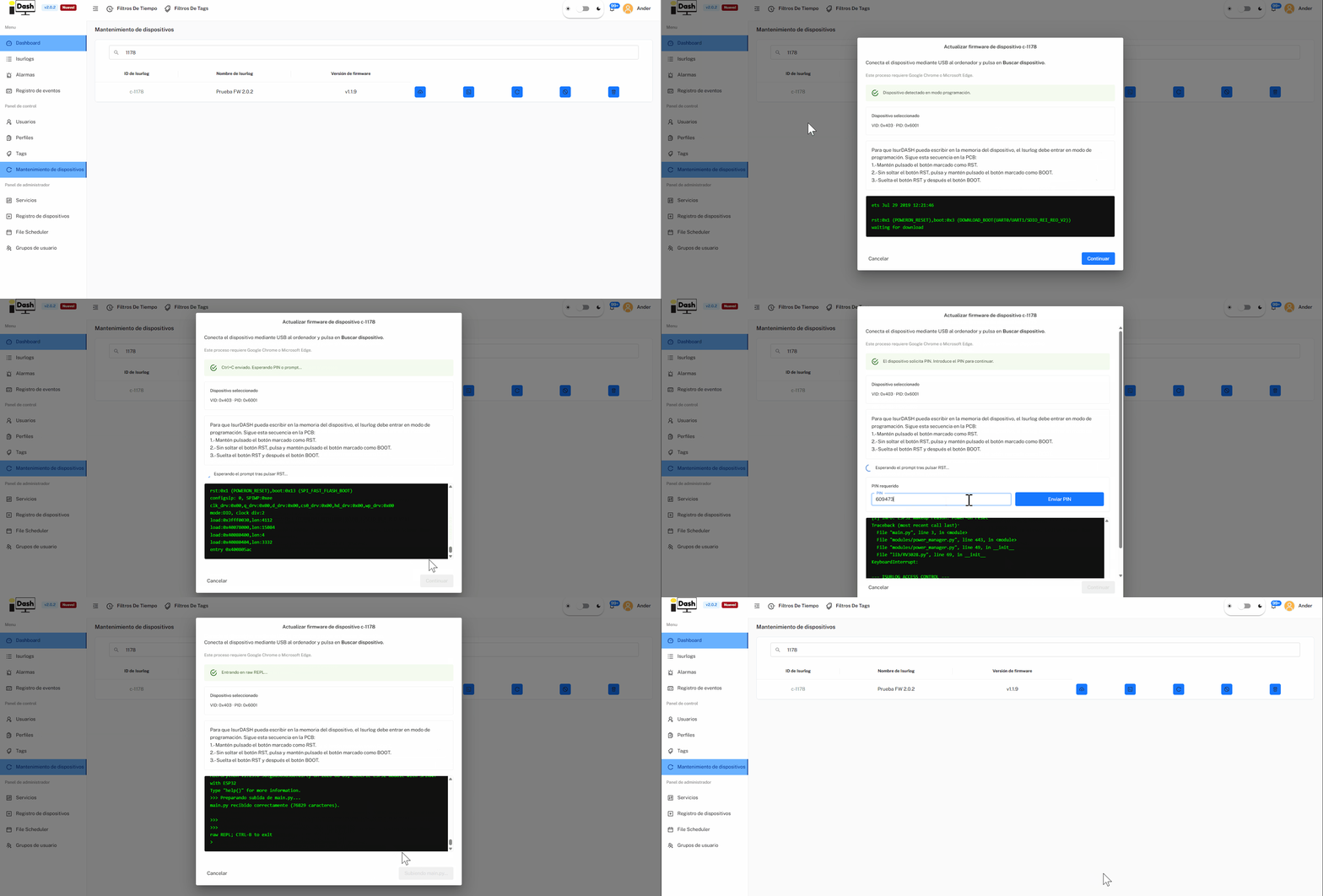
The firmware update flow — choose a method, then a version.
Building your own firmware?
This flow only installs official releases published on GitHub. If you're a firmware developer working from a locally-built firmware.bin that isn't (yet) a published release, use the manual flashing procedure instead — see 3. Flashing and Application Upload.
MicroPython REPL
Clicking MicroPython REPL connects you to the device's live MicroPython console (see remote_repl.py in the firmware) to run commands, inspect state, or debug. It's the same REPL button available on a device's own page (see 6.3.3) — this section describes what it does.
As with firmware updates, there are two connection methods — the REPL is never available over Bluetooth; the Bluetooth connection (see 6.3.5) is only for real-time sensor visualization and local configuration, not for the REPL:
- Remoto: available on any ISURLOG version, but only for devices with an NB-IoT or Wi-Fi modem — LoRa devices don't support remote REPL.
- Serial port (USB): available for all devices regardless of modem, over a wired connection.
A few practical details:
- The console times out automatically after 2 minutes without a command.
- Workaround: once connected, you can raise this by editing the
REPL_TIMEOUTvariable yourself (in milliseconds), e.g.:
REPL_TIMEOUT = 120000
- The session can be exported as a
.txtfile for later reference.
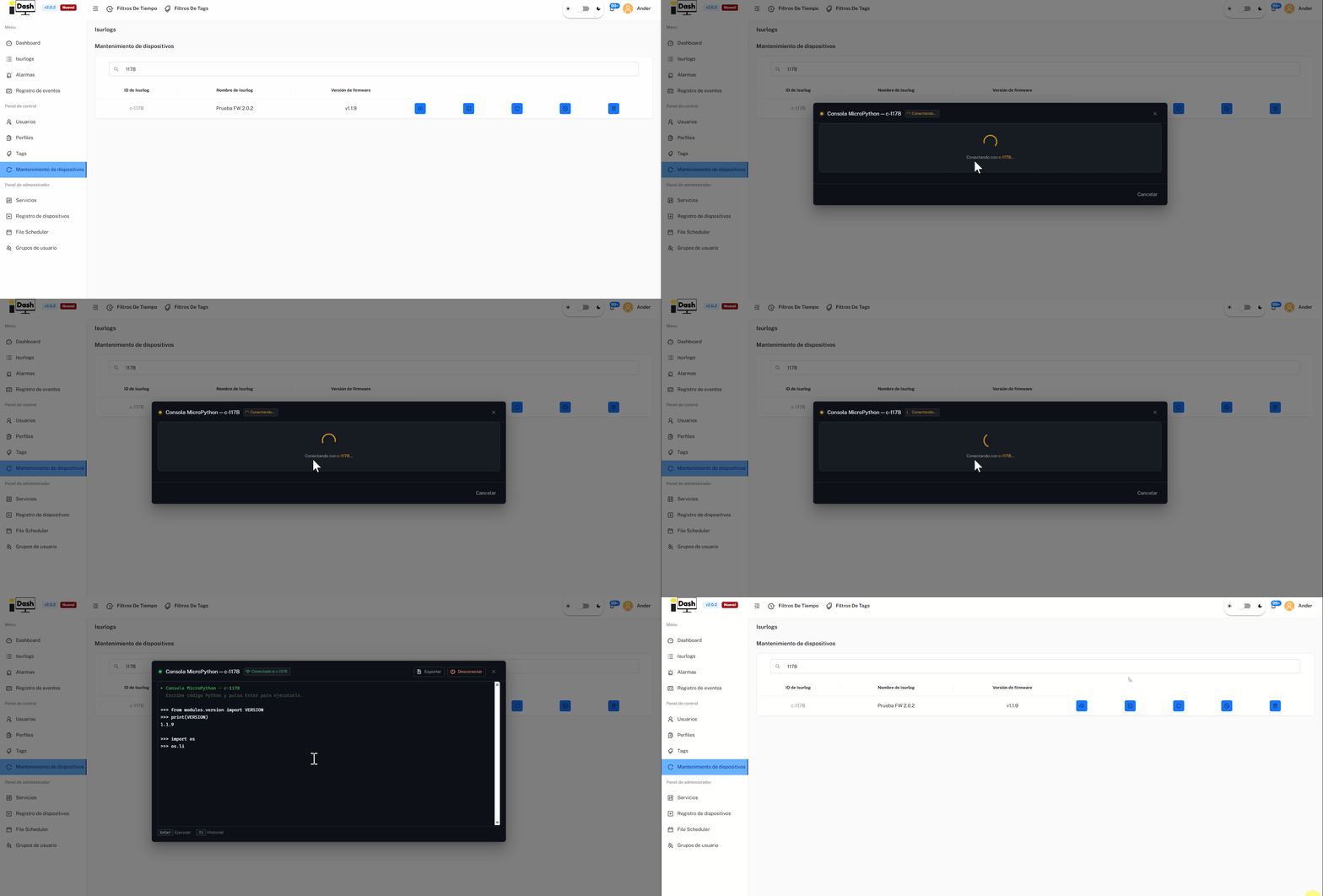
A live MicroPython REPL session.