Part of 6. IsurDASH Platform.
6.7. Tags
Tags (or Labels) are customizable markers designed to organize, group, and filter the ISURLOG datalogger fleet more efficiently. They are especially useful when managing a large number of devices.
A user can create tags based on any criteria, such as geographic location (e.g., "North Zone"), installation type (e.g., "Tide Gauges"), the project they belong to, or the final client. Once assigned, these tags allow users to quickly locate and view specific groups of devices in the different sections of the platform.
6.7.1. Tag List
The "Tags" menu presents a table with all the tags that have been created within the user group. The list displays the following columns:
| Column | Description |
|---|---|
| ID del tag | The unique identifier of the tag. |
| Tag | The descriptive name of the tag. |
| Grupo de usuario | The group to which the tag belongs. |
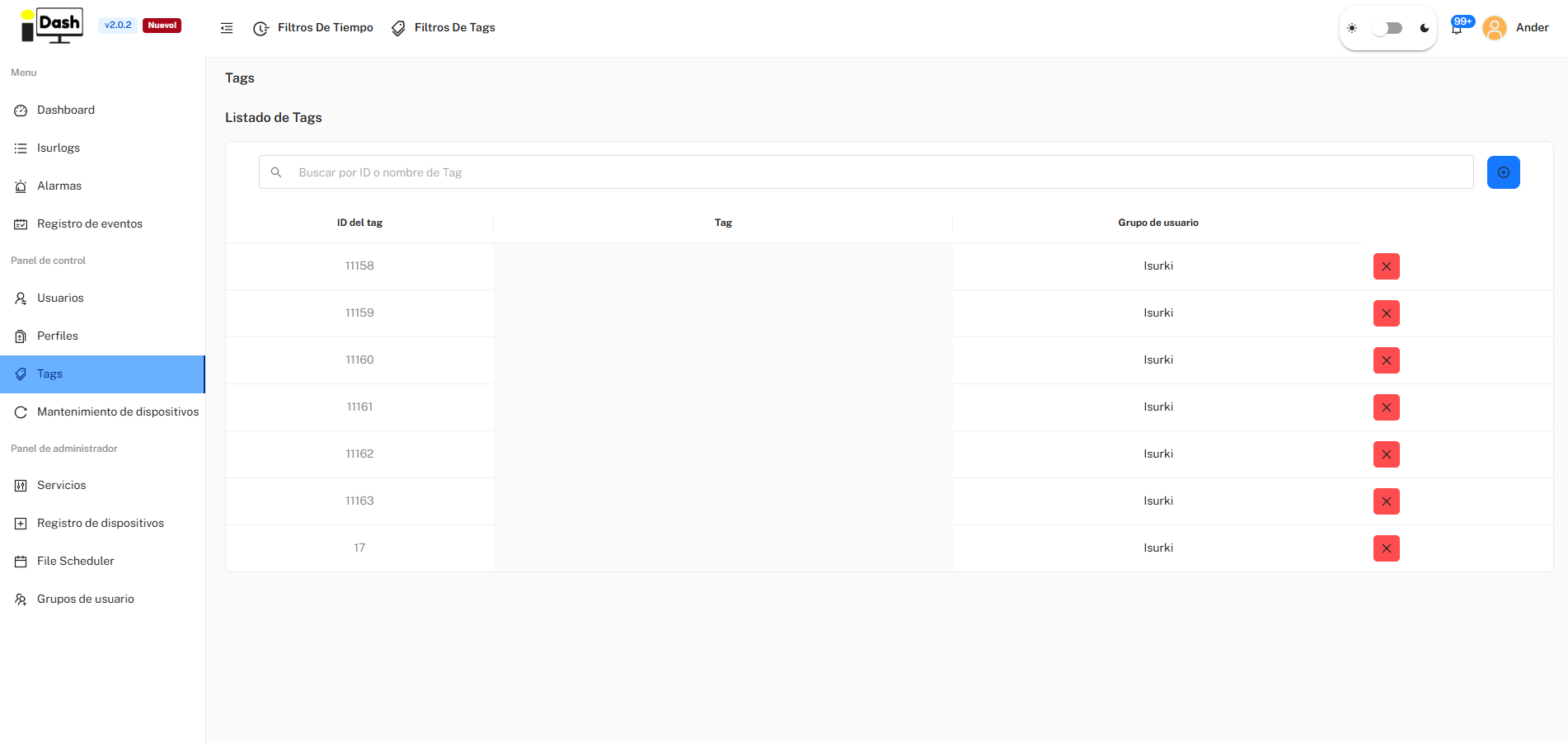
The Tags list.
6.7.2. Create a New Tag
To create a new tag that can be assigned to devices, the user must follow these steps:
- Initiate Creation: Click on the blue button with the add symbol (+), located in the upper right corner.
- Fill Out Form: Fill out the form by entering the Tag Name and selecting the User Group it will belong to.
6.7.3. Assign Tags to Devices
Once a tag is created, the next step is to assign it to the corresponding devices:
- Select Tag: The user must click on the desired tag in the list. This opens the tag's management screen, where its Descripción can be edited and saved.
- "Aplicar Tag a varios dispositivos": opens an interface that allows selecting one or more ISURLOGs from the fleet to apply that tag to.
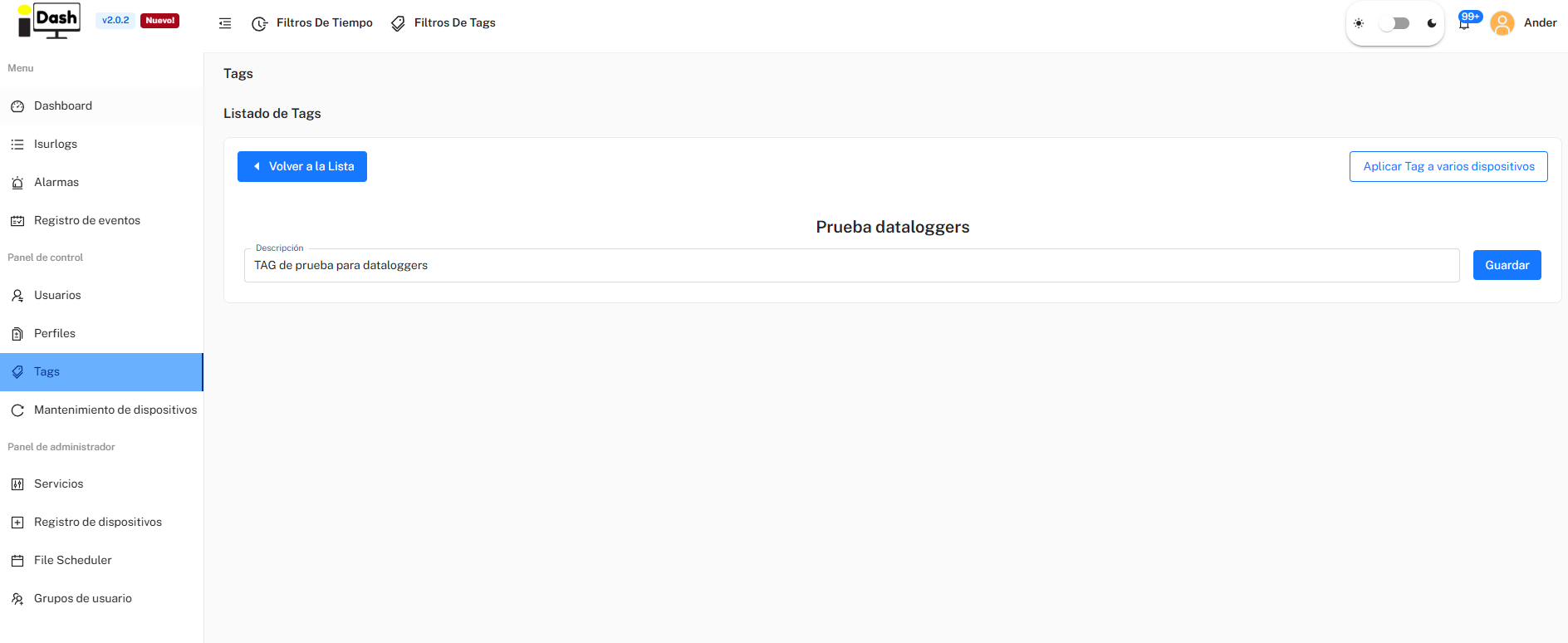
Assigning a tag to one or more devices.